Showing posts with label work. Show all posts

Thursday, March 15, 2012

Limerick Contest 2012

My company is very creative. We have writers, designers, video, audio, artists, programmers, etc. There are often contests that let folks participate in cross culture from their day job. Cooking contests, video contests, etc. Its quite enjoyable. I myself have created several wood creations that are on display that have garnered compliments.

This month, and this week, being St. Patrick's Day, they are again holding a Limerick Contest. I started with one word. Reindexing. Mainly because its one of the words I have reused over and over to describe what I do. Always reindexing. Mainly as a joke, and as a bridge to those that may not actually know what I do on a day to day basis.

So the limerick started with that word. Actually it ended with that word. Which made it interesting to come up with rhymes. Many versions were attempted, and some of those were shared with individuals and the public, prior to the final draft. Here it is without further adieu.


What's a DBA? It's perplexing...
He sure seems busy, it's quite vexing!
He mumbles bizarre phrases.
Stuff like Server Side Traces,
Kill, Schema, Cursors, Reindexing!


Wednesday, February 29, 2012

Chili cook off

today is out annual chili cookoff. I did not participate last year. But have thrown my chili in to be judged this year.

here is my recipe.


Alabaster Chile con Pixie (Ambrosia)

4 Jar Alabaster Legumes harvested from North facing walls of Machu Pichu

3 small Bottles chopped Pungent Capsicum Fruits

2 medium vessels Alabaster Creamy Goodness

4 Shorn, Braised, Shredded Pixie Pith

Some Cayenne Pepper

3 Pinches of Pixie Dust

Tuesday, December 13, 2011

How long will this backup take?

It's a Friday afternoon. You just did an oops and need to fix it. You think you need a backup. You know you need a backup, before you do anything. You quickly kick off a backup job and let it start performing the backup. Now, you know that this job has executed in the past, daily, probably. You can check the history of the job and get an idea of how long it will take.

The last execution was 1:10. A previous execution completed in :45. So you can safely guess that you are in for at least an hour of wait time before completion. This displeases you as you realize that it is already 3:30pm, on a Friday. The backup is already going, so it's a waiting game at this point. Wait, wait, wait.

Your boss suggested that you take off and get some away time, knowing that once the backup completes that there will be a hectic time performing the needed tasks to fix the oops. You consider leaving, after all, the backup will be running for an hour or so... Maybe sooner, maybe longer.

Since this isn't a backup from the UI, you do not have the handy dandy percentage showing up in the corner of the screen, giving you an idea for how long it may take. All you have is a small window saying that the job started, and the spiny guy showing you it's still going. And will complete. At some point.

So, how long will it really take? Only a time machine will truly tell you. But we can make logical guesses. A quick few clicks in Google/Bing would show you several scripts that could help. Here is the one that I found.

SELECT
CONVERT(NVARCHAR(60),DB_NAME(database_id)) AS [database],
CASE command
WHEN 'BACKUP DATABASE' THEN 'DB'
WHEN 'RESTORE DATABASE' THEN 'RESTORE'
ELSE 'LOG BACKUP'
END AS [type],
start_time AS [started],
DATEADD(mi,estimated_completion_time/60000,GETDATE()) AS [finishing],
DATEDIFF(mi, start_time, (DATEADD(mi,estimated_completion_time/60000,GETDATE()))) - wait_time/60000 AS [mins left],
DATEDIFF(mi, start_time, (DATEADD(mi,estimated_completion_time/60000,GETDATE()))) AS [total wait mins (est)],
CONVERT(VARCHAR(5),CAST((percent_complete) AS DECIMAL (4,1))) AS [% complete],
GETDATE() AS [current time]
FROM sys.dm_exec_requests
WHERE command IN ('BACKUP DATABASE','BACKUP LOG','RESTORE DATABASE')


It simply queries the dm_exec_requests and looks for items that indicate a backup. The other fields will massage the resultant data into something that you can use to see how long it may take.

Once I executed this, I was sad, because it showed me over 2 hours to complete. The sad was the duration was longer than I had hoped. The good was that I now had a goal. A time when other tasks would start, after the backup completed. This allowed me a better chance to plan and prepare for those tasks.

Thursday, September 22, 2011

My experience with the RedGate SQL Azure Backup tool

Success!!

I should end this blog post here. You should simply be happy that it worked. I got it to work. Woohoo!!

But, alas, I write here to help me. And you. So, on with the explanation.


Last night, I had some issues with the command line tool seemingly doing nothing as I submitted to it various commands that I knew worked elsewhere. Manually I could get it to work just fine. Thru powershell or SSM via xp_cmdshell, I could not.

After various discussions with Grant Fritchey (t|b) and others at RedGate, Grant asked the dumb question that needed to be asked. "What version are you on? I'm on version X". While I thought this was silly, as did he, that was the solution. The version that I had simply wasn't working like we both expected. Upgrade, and viola! success.

So here is what I did. On my local machine, I created 1 SQL Agent Job was created with 3 steps. This job will reach out to the cloud, grab the database I want to backup, and bring it down to my box for safe keeping.

Step 1 checks if the database exists, and drops it if it does. Here is the code:
  1. IF EXISTS ( SELECT * FROM master.sys.databases WHERE name = 'MyLocalDatabase')
  2. DROP DATABASE [MyLocalDatabase]

Step 2 calls the Command Line utility for SQL Azure Backup. Here is the code:
  1. EXEC sys.xp_cmdshell 'C:\redgate.sqlazurebackupcommandline.exe
  2. /as:MyDatabase.Database.Windows.Net
  3. /ad:MyDatabase
  4. /au:MyUser
  5. /ap:MyPassword
  6. /ls:MyLocalMachine
  7. /ld:MyLocalDatabase'
Step 3 calls the Command Line utility for SQL Azure Backup. Here is the code:
  1. IF EXISTS ( SELECT * FROM master.sys.databases WHERE name = 'MyLocalDatabase')
  2. SELECT 'Database exists'
  3. ELSE
  4. BEGIN
  5. SELECT 'Database does not exist'
  6. RAISERROR( 'Database does not exist', 16, 1)
  7. end

Nice and simple. This job will backup my Azure database to a local copy.

You may be asking yourself 'Why?'. Since Azure has redundant copies of my database already, why do I need to make a backup at all? The scenario in which this task becomes important to me is within the scope of Release Management. As we are uploading new features to our Azure hosted solution, we inevitably need to make database changes. In order to ensure continuity of service and function, I ALWAYS enforce a process of backup/snapshot/something of the existing database, prior to and after changes. This extra step will save me time if we ever need to revert back to another version of the database, even an Azure database.

My basic release process is like this.
  1. Become involved in the Release as soon as possible to assist with architecture
  2. Review proposed DB changes
  3. Produce Release Plan of all steps necessary to perform release
  4. Review Release Plan with all necessary folks
  5. Ratify Release Plan as a group
  6. Test Release Plan in environment that mimics target environment
  7. Prior to actual release, take a Snapshot and/or Backup of target database
  8. Perform Release according to Release Plan
  9. After actual release, take a Snapshot and/or Backup of target database
  10. Compare Pre and Post Snapshots and/or Backups
  11. Resume normal life
In the normal DB world (not with my head in the Clouds) I have various tools and processes that have helped me along this path to a very successful release process. Granted the process may not fit in every situation and needs to be flexible, for the most part I follow it to a T. Once a process has been established, and a set of tasks can occur to fulfill that process, automation is my next step. Remove the human factor from the steps to ensure success. Remove me from remembering what steps i need to take to accomplish the task. Automate!!

Introduce the Cloud, and the inability to perform some of these tasks and I get freaked out a bit. Luckily, designing solutions is something I enjoy doing, and this was a fun one to work on. I now have an automated task that I can click once, and perform the backup I need, allowing me to continue with my Release Process.

My thanks to those that helped me. I hope that this may help you as well. It has helped me. I now have a repeatable task that I can kick off and not worry that Ive forgotten any piece of the puzzle. Next release to the Cloud (next friday) we'll use this little piece of the repeatable puzzle. Soon, a monkey could perform the steps for us. And yes, I may be that monkey.

    Wednesday, September 21, 2011

    My experience with the RedGate SQL Azure Backup tool

    We have a few databases that are in SQL Azure. We need to back them up from time to time. Since there isn't an easy way to do this from SQL Azure itself, we have started using RedGate's SQL Azure Backup tool. The UI works great, even though the little slidey effect gets old after the first few executions. I was able to quickly and easily connect and backup my databases from the cloud to my local machine. Backup!!

    The next time I went to backup, it errored, because the database already existed. I figured I could easily fix this with a quick rename of the existing database. But that was not the case. Since the backup was actually creating files based on the internal names and that DB already existed. I had to drop the database. I could have done something else, like backup the local, and restore it to keep a historical copy. But I simply dropped the last backed up db. Then the UI was able to backup without any issues.

    Next? Well, why not try the command line. If you are like me, it will take you several (read many) iterations to get a command line anything to work properly. After quite a few iterations of stupid mistakes on my part, I finally got a simple command line script that would work and backup my db. Yeah!!

    So, now I have a process. I drop the database. Then I run the command line and I have my database backed up. Yeah. Except for the parts where I have to do all those steps, over and over... that part sucks.

    So I start thinking. I see these as 2 steps. 1 step to drop the db could be put into a SQL Agent job. The second step of running the command line, I could put into a batch file and execute via SQL via another step in the SQL Agent job. Yeah.

    Boo.

    The drop step works just fine. But the second step does not work. I have a batch file that I can execute and watch it process the backup successfully. But when this is wrapped in a SQL Agent job, it does nothing. So I grab the xp_cmdshell (I know, I know) statement and execute this in SSMS, it seems to take some time, then returns nothing. And apparently nothing has transpired either. No database was created. Nothing. No error. Hum....

    I tried Powershell to no avail also.

    So at this point, I have a job that kicks off both steps. Both succeed, but only the database is dropped. I will then manually kick off the batch file and backup the database via the RedGate tool command line.

    It works. Its 2 steps. Its not automateable yet. But I am closer. Always getting closer.

    Soon, I suspect, I will figure out what I did horribly wrong and remediate it, and I will have an automateable solution that will backup my Azure database to my local machine. At least I have that backup. And this will make me happier when we release code to the Azure database.

    Backups, snapshots and a budding release process to the Cloud. We're getting closer.


    Now I want to be more efficient.

    Thursday, May 19, 2011

    Powershell + Reporting Services?

    I have a small need to produce some data in a much easier way than I have heretofore. The process that I currently do it this. I run a query that produces the table counts of various tables in a specific database. These results I paste into Excel. I then repeat that process on another database (the destination of replication) and copy those results also into the same Excel document. I have within this Excel doc a column of fields that are functions, indicating if the totals from the left are the same as on the right. This lets me easily check if the replication has caught up, and if not, which tables are missing data. Its crude and rudimentary, but a descent check on replication.


    Now I have to do this for multiple databases. Repeat those steps multiple times. I dont like repeating things, unless they are fun things. This is not a fun thing. I kinda want a portal of sorts that i can click, and get the answer I want. This is not that solution.


    I think about powershell. Hum... I could have a PS script that can pull the results of the table counts, and deposit it into a table. If I do this for each side of replication, for each database, I will have a simple table of results, and a simple SQL query will then let me show off only those records that are not equal, meaning replication is off on those tables. Hum... this is promising...

    I easily create the script as the following.


    1. $DESTINATION="DBSERVER"

    2. $query = "SELECT
    3. @@ServerName as [ServerName],
    4. DB_NAME() as [DatabaseName],
    5. o.name AS [Name],
    6. i.rowcnt AS [Count]
    7. FROM sysobjects o
    8. JOIN sysindexes i ON i.id = o.id AND indid IN(0,1)
    9. WHERE xtype = 'u'
    10. and o.name in ( 'Table1', 'Table2')
    11. order by i.rowcnt desc"

    12. $Data = invoke-sqlcmd -query "Delete from ReplicationReviewResults where ServerName = 'DBSERVER' and DatabaseName = 'DBName'" -ServerInstance "DBSERVER" -database "DATABASEMONITORING"

    13. $Data = invoke-sqlcmd -query $query -ServerInstance "DBSERVER" -database DBNAME

    14. Write-DataTable -ServerInstance $DESTINATION -database "DATABASEMONITORING" -TableName ReplicationReviewResults -Data $Data

    15. $Data = invoke-sqlcmd -query "Delete from ReplicationReviewResults where ServerName = 'DBSERVER2' and DatabaseName = 'DBNAME'" -ServerInstance "DBSERVER" -database "DATABASEMONITORING"

    16. $Data = invoke-sqlcmd -query $query -ServerInstance "DBSERVER2" -database DBNAME

    17. Write-DataTable -ServerInstance $DESTINATION -database "DATABASEMONITORING" -TableName ReplicationReviewResults -Data $Data


    This I repeat as many times as necessary. In my case, 3 times, with 3 different DBNames.
    All this I shove into a PS script. I test it out and it works fine. It removes the data from the last execution, for a particular DBNAME and DBSERVER and then collects it again and deposits it into a central database on some db server. Simple. As long as connectivity exists, PS can execute, users exist, and all that type of config, I am able to execute this, and populate data. Woohoo.. Closer.

    So now as I think about the portal idea... I think of Reporting Services. A report could easily display this data. Summed data or detail data. Something easily retrieved from the table ReplicationReviewResults. Easy. However, that data won't be accurate. It will be latent, since the last time that I ran the PS script mentioned. So... hum... What if I put that PS Script into a SQL Server Job? Could that work? I do have other PS scripts executing with jobs... that should work.

    After testing the job and seeing success, I know have a way for my data to be populated. All I need to do is incorporate this into a Report with a step to call the job execution, then maybe wait a bit for it to finish, then display the data. Yeah!! However the user that can run reports doesnt have a lot of rights, and running jobs isn't one of them. He is a simple datareader...
    So, after playing with granting rights to sp_start_job and even select on sysjobs, I'm still stuck. Duh...

    I realize that this user needs to have Agent rights and recall that there are roles in the MSDB with something to do with Jobs. I add the role [SQLAgentOperatorRole] to this user, and they can in fact now execute a job. Woohoo. So I am now armed with a PS Script that is embedded in a job that can be executed by the user that reports run under. I create a proc, embedding the job start code along with the query to produce results, and then I create a report that calls this proc. Viola! I now have a portal that I can refresh, it retrieves new data, and displays that data to me.

    Replication status updates as simple as hitting F5. No more repetitive tasks taking me minutes of my precious day...


    Wednesday, May 18, 2011

    Companies you love to love

    We all know that there are companies we simply put up with. Others we hate. Some we love, but learn to put up with and ultimately degrade into a hatred. It happens. Time marches on and customer service goes down, priorities shift, things simply change and it goes from good to bad to worse, on occasion.

    Back in college, I had a trusted adult in my church that ran a mechanics shop. I could call him and tell him my car was making a noise, describe the noise, and he would diagnose the issue and suggest solutions, over the phone, with no visit to his shop. As time marched on, we continued to take our vehicles to him for help and repairs. As his company grew, so did the dissatisfied service provided, until the day that we had to leave and find another mechanic. Sad. But it happens.

    On the flip side, how often do you fall in love with a company, get treated well initially, but as time marches on, they treat you better and better? Think to yourself, list out the times that this has happened to you. I'm betting that it is not often that this happens. I can think of few examples myself. However, as the title of this post suggests, I have one such example.


    Lets talk about "this Company"

    Years ago, as a young Database Professional, I heard of a company that had a simple tool that compared databases. This wasn't rocket science, but it did prove handy from time to time. I used the tool, more and more. As the company made progress, they made the tool better, and soon branched out into other tools. I do recall thinking that this was a mistake, that doing too many apps or tools would cause them to loose focus, and the tools I had grown to love might suffer, and the company, like so many others, would go down in my eyes. I have been involved in a few different levels as an outsider with this company. I even made a little money for doing usability testing on various products. I had used the product, and they wanted to know some information from me, and I freely gave that information. The payment was a bonus, I thought. I woulda given the info to help out. But was glad to get something back from them. In fact, the motorcycle gear bag I won now, and have used for many years, was purchased using part of that money. It made it easier for me to put in the rest of the money on the bag myself. I think about them every time that I ride and enjoy using that gear bag. Ironically, its red. Not because of anything other than it was the best looking bag at the store at the time. But I find it funny that it's red.

    So the days, weeks, months and years march on. I continue to try out products, continue to use the old standard apps and tools, continue to simply use what they have produced and love it. So many times one of their tools has come to my rescue and helped me out. 9 months ago I finally took the time to dig into the API and write an app (a feat which i had almost forgotten from my developer days) that generates snapshots from all the databases on a server. Simple task. However using their tool saves me tons of time from manually doing it. And using the API saves me even more time. Minutes compared to hours. Recently I purchased a monitoring tool that has given me the peace of mind that something is always watching my database, and will let me know when or if something goes awry. Being a single DBA with no NOC to watch my systems, this has greatly improved my life and as mentioned, peace of mind.

    All this is praise for a job well done, and should be expected of a company providing tools and apps and simply trying to sell their wares to us. However, this company does a bit more. They interact with the community and you as an individual. I have many stories that I could tell you. Some of them involving some funny situations. Find me someday, and I will relate them to you. The best involves a bio break + phone call. But the one I wish to relate today is the personal touch that they perform that affects me and my life. They reach out and in a way no other company ever has, touches you. They make sure that you know you are important to them.


    The actual Story

    The story is simple and short and happened in the last couple days. A few months ago I received a package from RedGate that contained some swag. One of the items was a lanyard. My son saw this and wanted to have it. He transitioned it into a school badge holder, which he wears to school every day. Monday of this week he participated in a school play, and was proudly wearing his Red lanyard along with his play costume, which comprised of a few pieces of gold material around his wrists and head. I took a picture of him in this getup, with the proud smile. Since he was wearing the lanyard, I figured I should share this with the twitterverse, letting RedGate know via hashtag. Her is the picture.


    This photo is me just showing my support for my son and by extension for RedGate.

    A day later, I received a picture from RedGate that showed that at least 10 people were thinking of me and my son and wanted to touch us from across the pond. Here is that photo.


    How awesome is that!?!?!? Have you ever had a company go out of their way to show their support for you in such a fun and silly manner? Simply having a good time, but at the same time, making that connection that we have both forged over time that much stronger. I owe each of these individuals a hug or a heartfelt hand shake, which ever they feel most comfortable with. I bet though, by looking at the that way they responded, they'd opt for the hug.

    Way to go guys. You made quite a few of us happy today with this response, and I can't wait to show my son later today what you've done for him also.

    Thanks.

    You already have my loyalty and appreciation and even a bit of my and my companies money. This is simply over and above. And we love you for it.

    Friday, March 18, 2011

    I have a backpack

    I won it at a Microsoft Event many years ago. It says Microsoft Insider. Its an OGIO branded backpack. I have used it to daily transport my goodies to and from, between work and home. Almost daily I will grab it, with a laptop inside, some power cables, various other emergency cables of all varieties, spare mouse with batteries, an MP3 player, and so on. It has become the haven for holding all those precious things that I may need and use for electronic uses. When I go on a trip, I can typically grab this bag, throw in some cameras and camera chargers, and maybe a book, and be ready for the weekend. Whatever happens, I've got a cable or tool in that bag for what I may need. As you can tell, I practice the motto 'Be Prepared'.

    Ive done this as far back as this backpack has resided in my possession. Although the actual items have shifted during said time, the existence of these items, among any others that seem necessary has been constant. This bag has a place to rest at home. A thrown if you will, where only it lives. Its near the door, so I can grab it easily on the way out the door. At work, it always goes in a similar place of glory. Always where I can get to it, see it, be comforted by its existence and all it stands for.


    Whats the point of all this? We'll get there...

    So, I changed jobs recently. I no longer have a laptop to bring home at night, nor to bring back to the office in the morning. I no longer have that single power cable for the laptop. My bag is a lot more light these days. But I continue to bring it back and forth. Now, the only purpose to do this is habit. The extra cables and power supplies and what nots are simply that, extra. Usually used in conjunction with a laptop. Either at the office, at home, or away. So, without a laptop in the bag, whats the point? It becomes a bag only. Not a super special device to hold all my special things. It ceases to have the purpose it once had. And I believe that it is silly for me to bring it back and forth under the old habit, since my circumstances have changed.

    Get where I'm going yet? This applies to us as Database Professionals...

    Sit back now, look at what you do, day in, day out. Analyze these actions and detail to yourself which of those actions serve a purpose, accomplish a goal, and which are simply formed from habit. Those that are only habitual, really dig deep on them, and tell yourself if they still serve a purpose or not. I bet you will find some that you simply do because you have become accustomed to perform said action, and they may no longer be needed. If you do not have any, congratulations. Or maybe you didnt take as honest a look at your tasks.

    As for me, my bag is at home now. Still holding its collection of extra tools and what nots. But its not at the office. This entire week, i forced myself to not grab it and bring it. Forced myself out of my comfort zone to see if this tool, this crutch of a habit is really necessary. The jury is still out on that. I may need more time to fully realize the results of this small action. But I took the step to analyze myself, my actions and the usefulness of that tool. I hope you will do the same.

    Monday, March 14, 2011

    I'm Addicted, I'll admit it

    Before I started this new job of mine, (nearing the 3 month mark as we speak) I had heard of this little tool that i envisioned would make my life easier. In this role, I am a solitary DBA, in a shop that has very little visibility into the database systems. DBs were setup, configured, and if worked, were left well enough alone. Until something bad happened, no one really looked at them.

    With my new task to be the Administrator of all things Database, I was concerned that something would occur when I wasn't sitting in my chair. How could I know what was going on on the systems in the early morning hours? What about later at night, while I was unwinding from my day? And lets not even talk about the weekends... those were the worst of all. What if something happened, while I was out playing... how would I know? How could I react quick enough to solve issues, how could I be informed?

    Well, all this was a concern and had been addressed when I installed, configured a special piece of software called SQL Monitor, by RedGate. Once configured to my likes, it would capture events, send me alerts, even keep track of what had happened. I was freed up to do other tasks, as I had a monkey in the background collecting and monitoring for me. I love this monkey. I have grown accustomed to having him around and letting me know whats up.

    Then came this last weekend, when everything went to, well, it wasn't what I was expecting. Last week, after an extension or two of my trial period expired ( I have yet to get the money makers to get me the money to purchase the product), I was left without a window into my database. It was amazing at how quickly I was able to become addicted to this software solution and rely upon it. I had found myself checking my phone (personal cell phone) periodically when the little blip went off that let me know I had received an email from work. Sometimes it was an email from my favorite monkey (SQL Monitor) that I had left back at the office to tirelessly watch my db. Sometimes I had to deal with the alert. Sometimes not. But it was always there, swinging in its cage, keeping an ever persistent watchful eye on my systems.

    However, this last weekend, my monkey stopped working, because my trial expired. Addiction at its worst. I went into withdrawal. I didn't know what was going on. I had to check it manually, periodically, to ensure things were ok.

    So, what have I learned from this experience? I warn all those of you thinking about using SQL Monitor. Don't do it. I mean, don't do it, unless you are willing to allow yourself to become addicted to its features and information and alerting. Don't do it unless you want to find yourself falling in love with an imaginary monkey that watches your systems without fail when you are not in the office. Don't do it unless you like offloading the automated digging into your systems, the automated alerting of issues, the freedom that this product grants you to do other tasks while it consistently does its prescribed tasks.More importantly, don't install it, become addicted to it, rely upon it, unless you can get it purchased quickly and not become disconnected from its addictive services. This I experienced this weekend. It wasn't nearly as fun as previous weekends when it simply worked, simply monitored, simply kept my sanity in check...

    I have now received an extension on the trial again. I am plugged in. I got my fix. I can last a few more days. During this time, I MUST get the monies to purchase the product, so that I can continue having my fix. Continue to get the steady drip of love from #Red-Gate and #SQLMonitor. Allow SQL Monitor reach out its virtual hands and together we can grasp the greased rope holding on to my sanity. (who's quote is this? "even the most well- adjusted person is holding on to his or her sanity by a greased rope.")

    I do enjoy the product, and have become used to its usefulness and features. I have become addicted to it. I need it.

    Wednesday, March 02, 2011

    The log for database 'Borked' is not available. Check the event log for related error messages. Resolve any errors and restart the database

    I found that a small database across the country that no one really thinks about often was giving this message. I was made aware of this thru a series of events that led me down quit the rathole. From one thing to the next and the next, and finally finding this to be a core issue in the event logs.

    Its a little database. It does a small specific task.Let's call it 'Borked'. It was part of a maintenance plan that performed backups, and since the log file was unavailable, it was unable to backup. Luckily this was part of a maintenance plan, so when it failed at the beginning of the process, it also prevented any other databases from backing up. Yes, that was facetious. This was one of the items along the rathole that I found out. The issue came to my attention as folks noticed that some data was out of sync. Borked DB that lives on this db server is copied elsewhere and restored, and reports are pulled from it. This data on the report was out of whack. Because there were no new backups of DB X, because DB Y had an issue... part of maint plan... yeah...

    So, I do some research online, and see people suggesting DBCC CheckDB on this DB. However, when I attempted to run this command, it would tell me the same error. Odd. Looking into the errorlogs shows me that its been happening for quite some time, about 20 days, and the first instance of it showed me nothing of note in the Error Logs that could point to any other issue. There are 4 other dbs on this DB Server, and they are all ok. Before touching this Borked DB, I ran DBCC CheckDB on all the others, and performed manual backups. I also removed the maint plan and instituted individual backup jobs. I tested each of these, and the next day confirmed that they executed properly. So, all was well with the other DBs. But nothing seemed to work on Borked.

    Being worried that there is some corruption, that I may loose data, coupled with the fact that 20 days have transpired without a descent backup, I was obviously worried about the data. I created a new database, and exported all the data from Borked to BorkedData db, to keep track of it. I blew it on this step, since I had not initially created the objects as they were in the original, they were stripped down copies of the tables (missing Identities, missing constraints, etc). So now I have a copy of the data, but the schema is a bit goofed. I take some more time to actually use #RedGate tools to make a copy of the database, then export the data, then compare again to ensure that me BorkedNew database has all the proper objects and data. Whew.

    Now I am free to futz with the Borked. Obviously some tasks have been attempted already, but they all resulted in an error message about a missing log file. Not much more help than that. So my obvious thoughts went to detaching the DB, and bringing it back online thru attaching it again. This seemed to make sense in my head, and was the direction I had headed since the inception of messing with Borked. I had to get my ducks in a row to ensure that I could restore it, if the need arose. Thus all the moving of data, copying of schema, etc. Just to make sure I had a copy. So, I get ready to detach Borked and reattach it. I create all the scripts, double check the paths, and simply make sure all was in order. I envisioned that this would be a quick 1-2 punch. Detach. Attach. Viola, no one the wiser. Keep in mind that there is a web app using the DB, but its not highly used, so a small interruption would not be noticed, or so I was told by the 'owners' of this system. I use the term 'owners' in the loosest sense of the term. I have now spent more time vested with Borked than anyone else in the company, so technically, I am its new 'owner'. Anyway, I digress. We are about to detach and attach the db, which in my mind will release it, and then upon attaching it, will reinit the link to the log, and somehow make life happy again for little Borked. I pause, looking over the script one last time, ensuring I have selected the appropriate T-SQL... pause for effect, then execute the fateful code.

    I know, you are expecting that this is the end of this story... But no. It is not. What happened? same thing as all other attempts... Error about the missing tlog. Crap. Crap Crap. Ive prepped, Ive backedup. Ive copied data. Ive ensured I can restore. I have the entire DB copied elsewhere. and that backedup. Yeah. What to do now.

    So, I right click it, and goto tasks in SSMS, and notice the small menu item I have rarely used. 'Take Offline'. Hum, not quite a Detach. Not quite a Delete. Something I've honestly, rarely performed on a DB. So I click it. And sure enough, DB goes offline. There is a nice little icon next to it that shows me its offline. Well, at this point, it seems that there is only one choice. That is to 'Bring Online' again. So I now click this. And viola, Borked is now online.

    I go to the script that I had saved that had all other attempted commands I had previously executed against Borked. I ran a DBCC CheckDB against it, and it succeeded. I then realized I had fodder for a Blog post, and started writing this. About the time that I wrote the word 'Take Offline' in the paragraph above, I actually went back to the DB to ensure that was the proper term, and realized I had yet to backup this database, after bringing it back online. Doh! What a dork. So i obviously kicked off the backup, and it succeeded.

    Viola! my little Borked db is now online, and all seems well. Had I known this little caveat, I might have performed those simple menu items yesterday, instead of worrying about getting backups, moving data, digging into the processed, and all that. But, the silver lining is that this little db Borked now has a new owner. One that knows more about it than others, and will love it for years to come. Even if it cant figure out where its tlog went and why it can no longer access it. Fun Times !!

    Monday, February 28, 2011

    swwug 2011

    I have been invited back to present for the SWWUG vConference in April. I will be flying down to Tucson on March 8th and recording my 4 sessions. These are not the exact titles, but from the top of my head.

    Documentation. You know you love it.
    Data file sizes.
    Profiler / Traces
    DBA Tasks

    At this point, Documentation has been completed, and actually practiced as a presentation already. The others are nearing completion. I had set a goal to have them completed by this last weekend, and failed to accomplish that goal. I have a bit more work to do on some of them. But most are already well planned and created. Just need to be fluffed up at this point.

    One of the tools that I used to help me was a mindmap software where I simple was able to link ideas together and list them all out. I used a couple different versions of the software, and a few different computers, including my Galaxy Tab, to simple brainstorm with myself and come up with the skeleton for each presentation. I believe that I will actually use this document in the the Documentation presentation, as an example of how to simply start documenting. Its been a work in progress, and the mindmap software allows me to simply keep adding ideas to the map and utilize those when the time comes to flesh out the presentation.

    I'm nervous and excited, as always, as the date approaches. I love the creative process, I love actually presenting, I love teaching and talking and always hope that i can do a descent job and help folks. However, its still a nerve wracking process. Once its all done, I always appreciate the effort put into it, the experience as much as I do that its over. Its a funny process to look forward to something that scares you, kinda like a rollercoaster. I keep getting back in line for another ride, but am scared while in line and on the ride, yet I always return to the line and ride.


    Tuesday, February 15, 2011

    SQL Saturday 66

    This started out as a simple review of the SQL Saturday 66 in Colorado Springs. Then it needed some back story. Then it simply became a novel. So, enjoy, or jump out now. Your choice.


    Sometime last year, I decided that I would try to get to some regional SQL Saturday events. It didn't know exactly how I would accomplish this, for there were a couple obstacles standing in my way. The first was time.


    The second was money. Those were the big ones.


    Time was hard to come by, as it seemed that I didn't really have a lot of time to do professional development since it consistently seemed to be impacted by work. Ironic that I was unable to learn about skills that would help me in work, because I really needed to be at work instead...


    Money was a difficult resource to acquire and use for this type of venture. Its benefit is obvious. Its a great education and networking opportunity to attend any SQL Saturday event. Yet it was always difficult to come up with the slush money to fly myself and get a hotel, car and anything else needed in order to go to somewhere else for a couple days.


    Let's keep it simple, and keep it to those two obstacles. Time and money.


    If I was one of the lucky ones, those that work at a company that has a vested interest in attending an event such as this, I'd be lucky to be sent, with expenses covered. This is an obvious win win for company and employee. I, however, am not one of those few lucky ones.


    There are also those that are in the consulting gig that see their attendance at these events as a business expense to drum up potential business for their own company and skills. This is a noble gamble to bet on yourself, all the while giving back to the community as you do. This is a win win as well. I am not one of these either.


    I'm just a working stiff, like many of the other DBAs and Database Developers out there that attend these events. However, something changed in my life a couple months ago. A job change changed everything. I now have more discretionary time that allows me to attend an event like our beloved SQL Saturdays. So, the time element was relaxed and I decided to simply throw the money part out the window. After discussing it with my CFO, she and I decided that we'd spend the money to fly me to a location and spend a couple nights. I can keep it cheap, and doing so would allow me to learn, grow and experience professional development on a budget.


    So, I looked at the events coming up, and thru my hat into the Colorado Springs SQL Saturday event. It's close by, and I know some of the folks from the area. I am also the Regional Mentor, so it would be good for me to meet more of the local SQL people and get some face time with them as well as their leaders in the community. From my house to their home is about a 10 hour drive, and with the gas prices as they are, it would be 6's to fly or drive as far as cost went. However, there is a significant cost to spend 10 hours driving, instead of 2 hours flying. So a choice was made to fly to Colorado Springs. A couple nights in a hotel would be $50 or so, maybe $100 each. This isn't too bad of a cost. But its still a cost. I had a few opportunities to cheapen my hotel cost with a few options that presented themselves to me. One was to rent a cabin with Chris Shaw (twitter|blog) and split the cost. Another was to split a room with some local community people. Another was to stay with a good friend that lives in the area. Since this last option was going to give me some good time to catch up with a good friend, i chose it and made arrangements to spend the night at his place. In order to get there with enough time to hang out, I decided that I needed to fly out a bit earlier (1:50pm) instead of the later time (8:00pm).


    This decision meant that I needed to ask for a bit of time off on Friday to leave early. This means I need to talk to my boss. In the past, when events of this nature occurred, this didn't always work out well. When work seems more important than anything else, a SQL event falls way short. I was worried to ask, but needed to, and did. As I informed my boss, he started asking me questions. The conversation went something like this.


    Me: I need to take off a bit early on Friday to fly to a SQL Saturday event.

    Boss: What is this event?

    Me: Its put on by individuals for individuals, part of the SQL Community, all over the nation.

    Boss: This sounds like a Professional Development event

    Me: Yeah... (waiting for the hammer to fall, some excuse why it would be difficult to attend)

    Boss: This sounds like something tht we should be paying for.

    Me: (shocked) Yeah.


    This is the simple version, but they decided to not only allow me to take off a bit early on Friday, but they were intending on paying for the flight and hotel. I was shocked and amazed. Time and money. Solved. Woohoo!!


    Off we go to SQL Saturday in Colorado Springs.


    Luckily, as the dates approached, my friend Randy Knight (twitter|blog) also decided to attend. This meant that we could travel together and split some of the costs. We headed up to the airport Friday afternoon, and after a moment of slowness as we passed an unfortunate accident, we were again on our way, albeit a bit late.

    Once at the airport we cruised thru security, leaving only a single bottle of Strawberry Jam behind that apparently is insidious enough in nature as to not be allowed into the airport proper for fear of use as a weapon of some sort. This bottle was an intended gift for the wife of my buddy, as a thank you for allowing me to spend the night at her house. It was also a bottle canned by my wife at the LDS Cannery, which made it something special from us to them. It was not meant to be though...


    The plane ride was uneventful, dumping us into a different version of winter than we had at home, but similar enough to not be terribly different. As I left the airport, and watched as Randy grabbed his rental car and departed, I waited for my ride to appear. Even though it was clear and sunny, I was soon cold, having forgotten it was winter here too. I stand outside for a bit, until i start communicating with my buddy. The text messages and voice conversation soon took an odd turn as questions were posed but unable to be answered to anyones satisfaction. It turned out that my ride was in Denver at the airport as I was standing outside the airport in Colorado Springs. Funny. Even funny to us at the time. A bummer. But funny nonetheless. What a mix up. With all the communication tools that we have and at our disposal, neither one of us seemed able to clearly indicate which airport I was arriving at for this event. Funny. Sad kinda funny, but funny nonetheless.


    I end up calling Randy back to retrieve me, as he had a head start to the speaker dinner from the airport already. Luckily he was able to return to get me, leaving the nearly empty freeway to return to the airport with plenty of time to allow the rest of Colorado Springs residents to embrace the Friday afternoon rush hour traffic, allowing us to gain a more full experience of the clogged freeway. This irony was repeatedly brought to my attention by my new chauffeur as we were stuck driving behind residents on their way home from work. We took off, driving north to the speaker dinner. We initially went to Randy's hotel to check in, and I even checked on a price for a room there that night, in case I wasn't able to hook up with my friend for the evening. I then checked on the hotel that I was going to stay at the next night, to see what the price would be for the first night, again, in case. After this, I went to Mr. Biggs to assist with the preparations for the event in any way that I could. It was great to meet some of the speakers and organizers. I already knew Marc Beacom (twitter|blog) from past SQL Community events, and it was great to catch up with him. He was the only person that I already knew IRL though. The others, some friends, others acquaintances, were mostly known to me via twitter already. I got to give Chris Shaw (twitter|blog) a big bear hug to great him as we had become friends over twitter, facebook, Im and email for the past couple years. I have always felt like he was a brother. Funny how our community becomes family. SQL Community -> #SQLFamily.


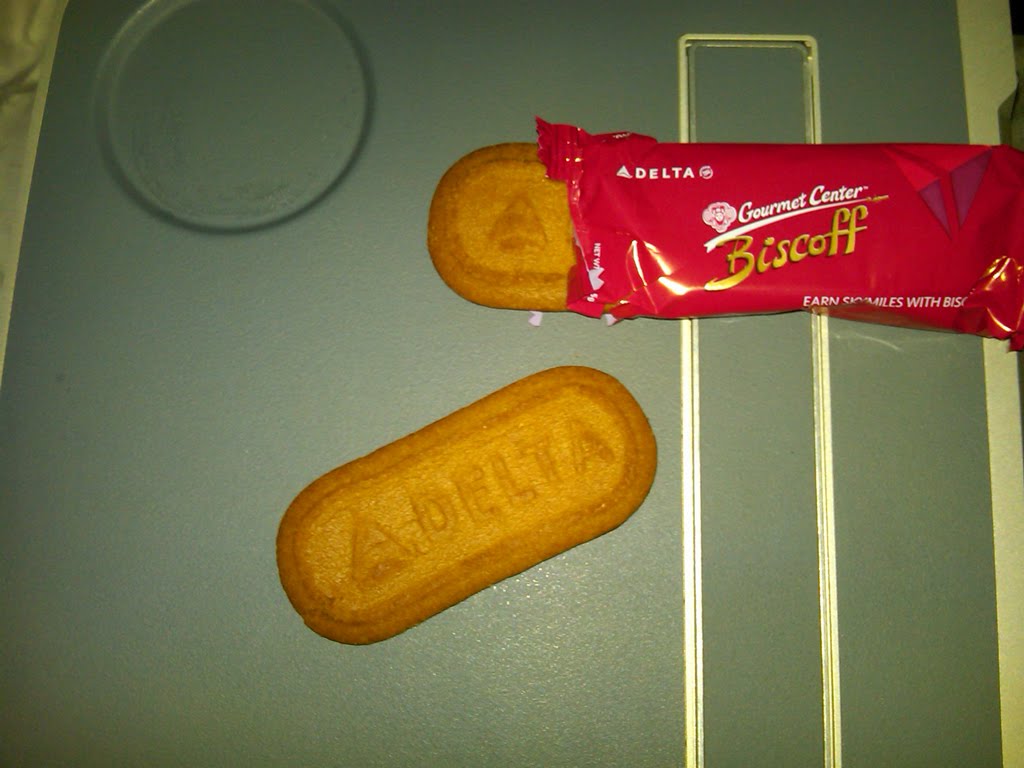
    Soon it was the speaker dinner and time to shmooze, cavort, meet, discuss, talk, enjoy and share. It was also the first meal of the day for me, as I had barely eaten anything for breakfast and completely missed lunch because of the time suck that flying can be. Luckily I survived on some snacks from my bag while on the plane, as well as those incredible Biscotti cookies. Dinner was great and we had a great time talking to new people. One of which, Jeremy Lowell (twitter|blog), was nice enough to allow me, a stranger, to get into his vehicle and deliver to the house of my friend for the evening. Jeremy was headed home anyway, which turns out was about 5 minutes from my end location. So it turned out that it was a win win for us. We talked about SQL, but soon turned the conversation to other random topics that we found out we had in common. Its always amazing to meet people in these events that are just as human as you with the same concerns, ambitions, interests and whatnots. We had a great time talking for an hour. A friendship began.


    Once at my buddies house, I was honored to meet the kids. Gifts were given, minus the Strawberry jam which now lives in a trash in SLC airport. Soon we were simply talking, telling stories, and having a great time. We both do woodworking and it was great to see his work space. Later in the evening I was even able to help feed the horses, which made me feel like I was channeling Mike Rowe as I attempted to perform a task I was unaware of how to perform. Standing in the cold Colorado night, helping feed the animals in the snow was invigorating. Fun to do once. Once back in the warmth of the home, it was time to get to bed, so that we could get up early the next morning and make the 1 hour commute down south to the SQL event. Off to bed we went. Me, grateful for the time spent, the stories told, the experiences had and the roof over my head and bed offered within their home. Thanks.


    The next morning had us up early to make the commute. After stopping at a gas station along the way, and after purchasing the first cup of joe ever, I was able to make a small effort at paying back my gracious host for the previous nights lodging. We had a great time talking about many many things and I truly enjoyed the time we had to spend together as the sun chased us. Soon we arrived at our destination and got on our game faces. It may seem otherwise on occasion, but we are all geeks at heart and want to simply sit in front of a computer, shunning human contact in all its forms. Attending an event such as a SQL Saturday seems against our nature, but it is such an important part of our Professional Development that we suck it up and go and put on our game faces, getting ready to talk and interact with each other.


    Luckily Chris Shaw and the other organizers thought of this and planned to have many networking events that forced and allowed us to interact with each other, getting to know each other. The first event gathered us together in disciplines, into two circles. One inner circle faced an outer circle, one to one. We were to take 2 minutes with each person in the circle and perform some SQL Speed Dating, answering 2 questions. It was a simple exercise and allowed me to introduce myself to 13 people as well as get to know them. It was fun. Soon the sessions were underway. SQL Lurn was ON! Between each session, a networking event occurred. The first I chose to participate in was Lazer Tag. What a rush. This is always such a fun activity and we all seemed to have a blast shooting each other. There was lunch, which allowed us a chance to eat and talk with each other, performing our own networking discussions while cramming pizza into our gullets. More sessions and more networking occured. Lurnin and Networkin. Over and over. It was great, well organized, and well participated in by all.


    I ended the day with my session in the last slot. I had participated in Lazer Tag just prior to my session in one of the networking events, which got my blood pumping and ready to stand in front of a group of SQL peeps and discuss Documentation. I believe that the session went well, and we had good discussions. Many speakers attending my session, which was always a bit nerve wracking initially, but enables me as a speaker to engage the audience even better than typically, as these are now friends and family that can be pulled into the discussions easily.


    After the sessions, we had one more networking event. We all had to make a trek across the family fun center to the sand box, and retrieve an easter egg. Inside each egg, for each member of the event, a prize awaited them. The organizers had gotten many items to give away and each person received something. It was well received and I believe everyone went away feeling a bit more special at having received a thoughtful gift for simply attending. It was a nice touch.


    And just like that, as quickly as it started, it was over. It was such a full day, with so many interesting topics, great knowledge, great networking, that it blew by so quickly. I for one barely noticed that I had been on my feet for many hours, had done a great many different things as well as learned and gotten excited about SQL stuff. It was exactly what was needed. Many thanks go out to the organizers. Great job!!


    After the event folks retired to the bar to continue networking. I don't drink, so tend to not spend a ton of time at the bar, but did take the chance to relax a bit, talk a bit, and continue to network and build those relationships started previously. Discussions about the event ensued, Regional Mentor duties were performed with various members of the community, help given to those folks looking to setup new chapters and needing some ideas to get them going, and friendships were continued. It was a great time.


    Randy and myself departed, after many handshakes, fist bumps and a few hugs. We took off to go get some dinner and relax before our 4:30 am start time the next day for the 6:00 am flight. Dinner was quick, once we finally found a place, got a seat and got our food. Having forgotten that this was a Saturday night and that many other people also wanted to eat dinner, we were slightly delayed in our own goals. Dinner did occur, bellies were filled and more discussions were had about SQL and other topics. Finally, bed awaited, its siren song calling me to slumber at 8pm, finally falling asleep sometime around 9pm. Rare for me to retire so early, yet needed to make the flight the next morning.


    The next morning came quite a bit earlier than I could have expected. Its always funny to drive around in the dark, knowing its morning, yet being deceived into still believing its night. An odd juxtaposition. We arrived at the airport without a problem, albeit at the ungodly hour of nearly 5am. We got thru security easily, except for the TSA groping that occurred. Ironically I tend to travel in a tshirt and sweats, releaving myself of a belt, buttons or anything that would pose a threat to the metal detectors. However, this was the reason the TSA groper choose to use to get close and personal with my persona, the baggy sweats. Funny.


    After arriving home a couple hours earlier than I would normally wake up on a Sunday, it was all over. I was home. Early and tired and spent. I laid down and rested for most of the day, getting ready to start my normal work week. Good times, good friends, good knowledge. Forging existing relationships and building new ones. Making the SQL Community into my SQL Family. Thats what I see occurs in these events.

    Long live SQL Saturday!!!